
Questions about your bill or online portal? ¿Preguntas sobre su factura or portal en línea??
Check out our Bill FAQs and Portal Troubeshooting Guide.
If you don't find what you're looking for, ask a customer service analyst. We're here to help.
- Call us at 541-685-7000 from 8:30 a.m. to 5 p.m. Monday - Friday
- Send us an email
Para asistencia en español llame al 541-685-7000, presione 9
Ways to pay
There are many options for paying your EWEB bill.
- Online
- By phone
- By mail
- At Walmart (cash or debit card only)
- Drop box (no cash)
- In-person (cash payments over $1500, by appointment at our Roosevelt Blvd location only)
Read on for more information about each of these options.
MyAccount
EWEB's online customer portal gives you features and tools for securely managing your personal and business accounts from any device.
Our customer portal recently under went a visual update and may look different. However, it is still the secure portal you've always used. Be cautious of phishing attempts and only access the portal through official channels. Learn more about scams and how to protect yourself here.
Need help accessing the portal or updating your account?
Check out our Portal FAQ & Troubleshooting Guide.
You can also get in-person assistance with setting up an online account. In-person customer service is available by appointment at Eugene's City Hall, 500 East 4th Avenue (the former site of EWEB headquarters). To make an appointment, please call 541-685-7000.
Make a guest payment without an online account
You can make an online payment with your Visa, Mastercard or checking account without registering or logging in. You will need your EWEB account number, which is available at the top of your bill or your "bill-ready" email.
Guest Payment
Walmart Pay
You can now conveniently pay your EWEB bill with cash or debit card at any U.S. Walmart store.
Payments made at Walmart will be applied to your EWEB account in real time.
Learn about Walmart PayDrop box
Payments made by check, money order, cashier's check can be placed in an EWEB payment drop box:
- At our former headquarters at 500 E. 4th Ave. in Eugene
- At our Operations Center at 4200 Roosevelt Blvd.
Please note the contents of the drop box are picked up once per day. If your payment sits overnight, it will not be posted until the following business day.
Do not place cash payments in the drop box.
In-person assistance
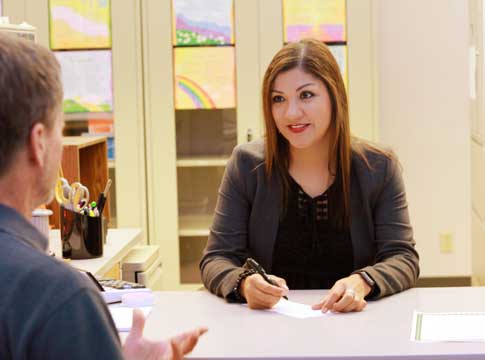
In-person customer service is available by appointment at Eugene's City Hall, 500 East 4th Avenue (the former site of EWEB headquarters). An EWEB Customer Service Agent can process ID verification, accept paperwork, help explain your bill, answer account questions, and assist with setting up an online account. To make an appointment, please call 541-685-7000.
Customer Service Agents are not able to accept payments at the City Hall location. Click here to learn about ways to pay your bill.
City of Eugene Stormwater and Wastewater Fees
Why do storm and wastewater charges appear on my EWEB bill?
Charges related to stormwater and wastewater appear in the water portion of customer bills, but are not EWEB charges. The City of Eugene owns and operates the stormwater and wastewater systems in Eugene. For efficiency, EWEB acts as the City's billing agent per City charter.
The City of Eugene increased stormwater fees multiple times in 2025. This means EWEB customers will see THREE City of Eugene fee increases on their bills in 2025.
- February 1, 2025: 5% increase
- July 1, 2025: 5% increase
- August 1, 2025 thru July 2031: 18% increase
Stormwater fees help manage runoff, reduce flooding risk, and improve water quality. The funds support services like street sweeping, sediment removal from storm drains, maintaining rain gardens, and preserving parks and open spaces.

Start or stop service
You can schedule a preferred date to start or stop your service up to 90-days in advance.
Reading your bill
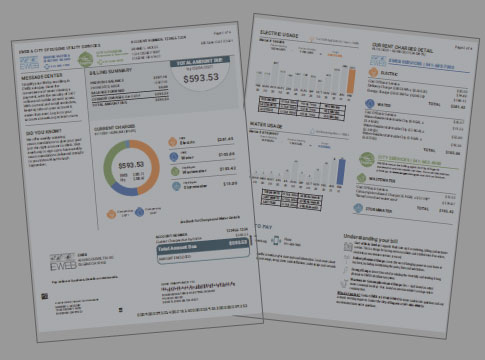
Understanding how to read your bill is a good way to manage your electric and water usage.
Reading a meter
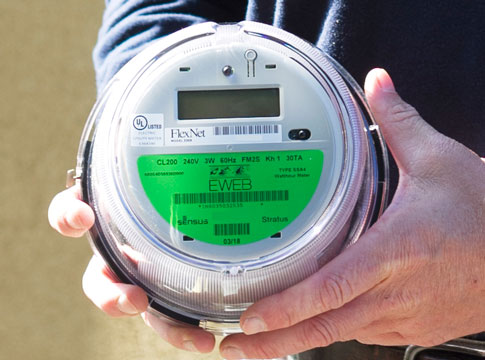
Learn how to read electric and water meters.

Budget billing
Our Budget Billing program helps you balance the seasonal highs and lows to make your payments predictable each month.

Payment Assistance Programs
You may qualify for a bill credit and other assistance programs.

Rebates and Savings
Reduce your energy and water waste. Our incentive programs can help with the upfront investment.
Estimated bills
We attempt to read your meter every month. However, sometimes there are things that prevent an actual reading from taking place, resulting in an estimated bill.

Beware of scams
Scammers who pretend to be utility employees exploit the trust customers place in EWEB. Knowing the signs can help you fight back against scammers' constantly changing tactics.